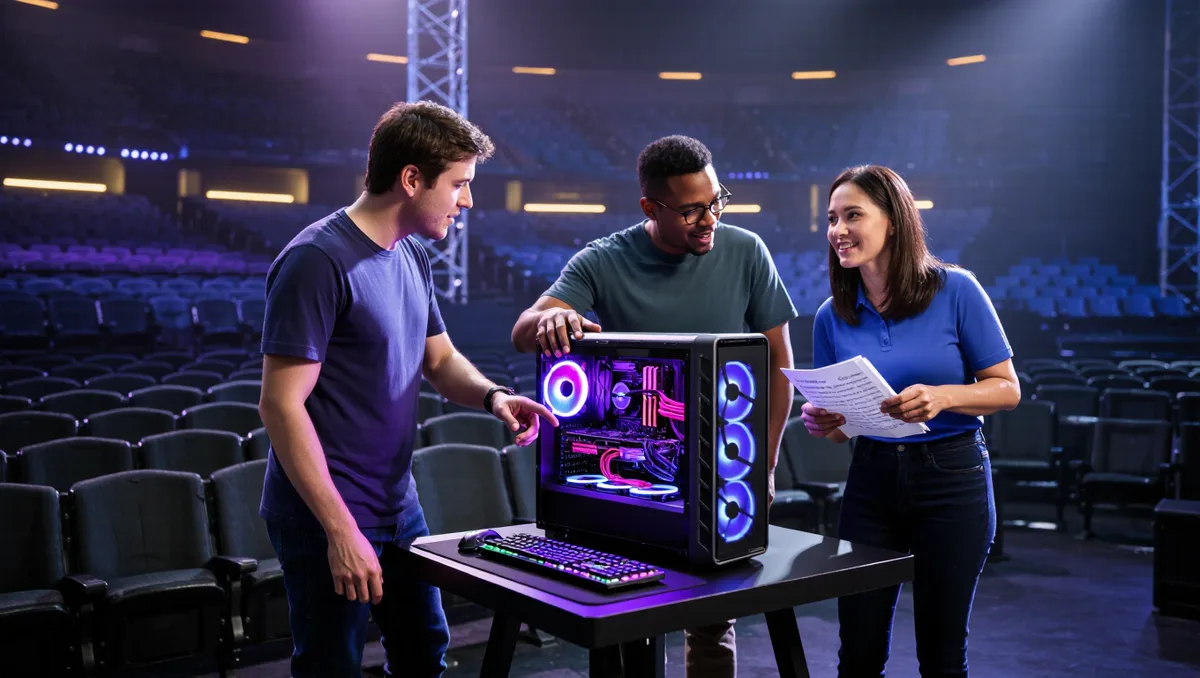
Should you buy the CyberPowerPC Gamer Supreme GXL70941 while it's $239 off on Newegg? If you want a prebuilt that handles 1440p or 1600p AAA gaming on the highest settings — and 4K when you lean on DLSS and Multi Frame Generation — the short answer is yes, this configuration covers it. Per PC Guide, the deal was live as of September 28, 2026, and prices can change without warning, so treat the discount as a check-the-page situation rather than a promise.
This piece is a practical walkthrough rather than a spec dump. We treat a prebuilt the way a housing reviewer treats an apartment: does it work after you've moved in, not just on the listing photo. Below is what the machine contains, who it genuinely suits, and the trade-offs you accept when you buy it.
One housekeeping note first: Academia Hagi is an online publication, not a broadcaster or a store — we don't sell anything here, and we don't track live pricing beyond what PC Guide reported.
What's actually inside the box?
The core of the system is an NVIDIA GeForce RTX 5080 with 16GB of GDDR7 memory on a 256-bit interface, paired with a 24-core Intel Core Ultra 7 270K Plus processor. Around that, per PC Guide's listing details, you get 32GB of DDR5 RAM, a 2TB PCIe 4.0 NVMe SSD, a 1000W power supply, and ARGB liquid cooling for the CPU. Windows 11 Home comes installed, and a USB RGB keyboard and matching mouse are included, so the system is usable the day it arrives.
That's a balanced high-end configuration in the source's own words, and the balance matters more than any single number. A fast GPU with a slow drive or a weak power supply would undermine the whole build; here, each part clears the bar the others set.
Could you live with this GPU day to day?
The RTX 5080 is the machine's reason to exist. PC Guide describes it as a high-end processor intended for demanding 4K gaming and advanced visual workloads, with 10,752 CUDA cores plus dedicated ray-tracing and Tensor hardware. In plain terms: it renders games fast, it handles modern lighting effects, and it powers AI-assisted image features.
The connectivity is worth checking against your desk setup before you buy. The listing specifies one HDMI output and three DisplayPort connections, which covers most modern monitors, TVs, and multi-display arrangements — though the exact port standards depend on which graphics-card model is installed, so verify against the specific listing if you have an unusual display.
The 16GB of VRAM is the honest limit. It provides useful capacity for high-resolution textures, ray tracing, and GPU-accelerated creation. But PC Guide flags that exceptionally large professional projects may want a card with more VRAM. If your work is heavy 3D or video production at massive scales, this is the trade-off to weigh.
What does DLSS 4.5 actually do for you?
DLSS 4.5 support lets compatible games use AI-assisted Super Resolution, Ray Reconstruction, and Multi Frame Generation. Super Resolution reconstructs a higher-resolution image; Ray Reconstruction replaces several hand-tuned denoisers with one AI model, improving heavily ray-traced effects; Multi Frame Generation generates additional displayed frames.
Read the fine print, because it matters for your expectations: PC Guide notes that generated frames are not equivalent to conventionally rendered frames, and results vary between games. Practically, that means 4K gaming on this machine is real, but it leans on these technologies — especially at the highest settings. If you refuse upscaling on principle, your 4K ceiling is lower than the marketing suggests.
Is the CPU and memory enough for streaming and work?
The Core Ultra 7 270K Plus has eight performance cores and 16 efficiency cores, with a maximum turbo frequency of 5.5GHz — performance cores reaching up to 5.4GHz and efficiency cores up to 4.7GHz, per the listing. The hybrid design keeps foreground gaming fast while leaving parallel capacity for streaming software, browser tabs, and communication apps running behind it.
The 32GB of DDR5 is enough for modern games, streaming, general creation, and heavy multitasking. And the B860 motherboard has four memory slots supporting up to 192GB according to the system listing — a genuine upgrade path if your needs grow. That's the kind of after-move-in detail that separates a keeper from a dead end.
What about storage, power, and cooling?
Three practical checks, all answered by the listing:
- Storage: the 2TB PCIe 4.0 NVMe drive holds Windows, applications, and a sizeable game library — substantially more practical than a 1TB system disk — with fast startup, installation, and loading.
- Power: the 1000W supply exceeds NVIDIA's general 850W minimum recommendation for an RTX 5080 reference system, leaving headroom for transient GPU loads, the processor, and liquid cooling.
- Cooling: ARGB liquid CPU cooling should hold sustained temperatures better than a basic air cooler during demanding workloads, and the lighting suits a gaming-focused setup.
The case also puts two front-facing USB Type-A ports and one USB Type-C port within easy reach, so controllers, phones, and storage drives plug in without a crawl behind the tower. PC Guide also calls the combination VR-ready, though actual results depend on your headset's resolution, refresh rate, and connection requirements. We covered a connected angle in What makes a game's netcode actually competitive-ready?.
Who should skip this deal?
Three honest disqualifiers, all grounded in the specs above. If you run exceptionally large professional projects that need more than 16GB of VRAM, look elsewhere. If you refuse DLSS and Multi Frame Generation, the 4K pitch weakens considerably. And if you already own a capable high-end rig, a $239 saving on a whole new system is a want, not a need.
For everyone else — 1440p-to-4K gamers, streamers, and creators who want a machine that works on day one with a keyboard, mouse, and Windows 11 Home included — the configuration hangs together well. The concrete trade-off you accept: you're buying peak performance that depends on AI-assisted frame generation at the top end, and a VRAM ceiling that fine for games but tight for very large creative work. Decide which of those you can live with, then check the current price on Newegg, because per PC Guide, savings are subject to change and stock is the other variable. Readers following this should also see How do esports rating systems actually decide who's best?.